Restaurant & Café Menus
Build a digital menu your customers open on WhatsApp
Add dishes with photos, prices, and dietary tags. Share a link or a QR code for the table — update a price or mark something sold out in seconds, no reprint, no app for your customers to install.
How it works
Add your dishes
Name, photo, price, and course (Starters, Mains, Desserts...). Add portion sizes (Half/Full) and dietary tags in a couple of taps.
Share a link or QR code
Send the link on WhatsApp, or print a QR code once for the table — it always points at your current menu.
Update anytime
Change a price, add a seasonal special, or mark a dish sold out — every copy of the link updates instantly, no reprint.
Built for menus, not generic products
Grouped by course
Dishes organize into sections — Starters, Mains, Desserts — automatically, the way a real menu reads.
Dietary tags & portions
Mark dishes Vegetarian, Vegan, Gluten-Free, or Spicy — whatever fits your menu — and offer Half/Full portion pricing where it makes sense.
Print-ready PDF, too
Same menu, laid out as a downloadable PDF — for printing at the counter or emailing to a customer who asks.
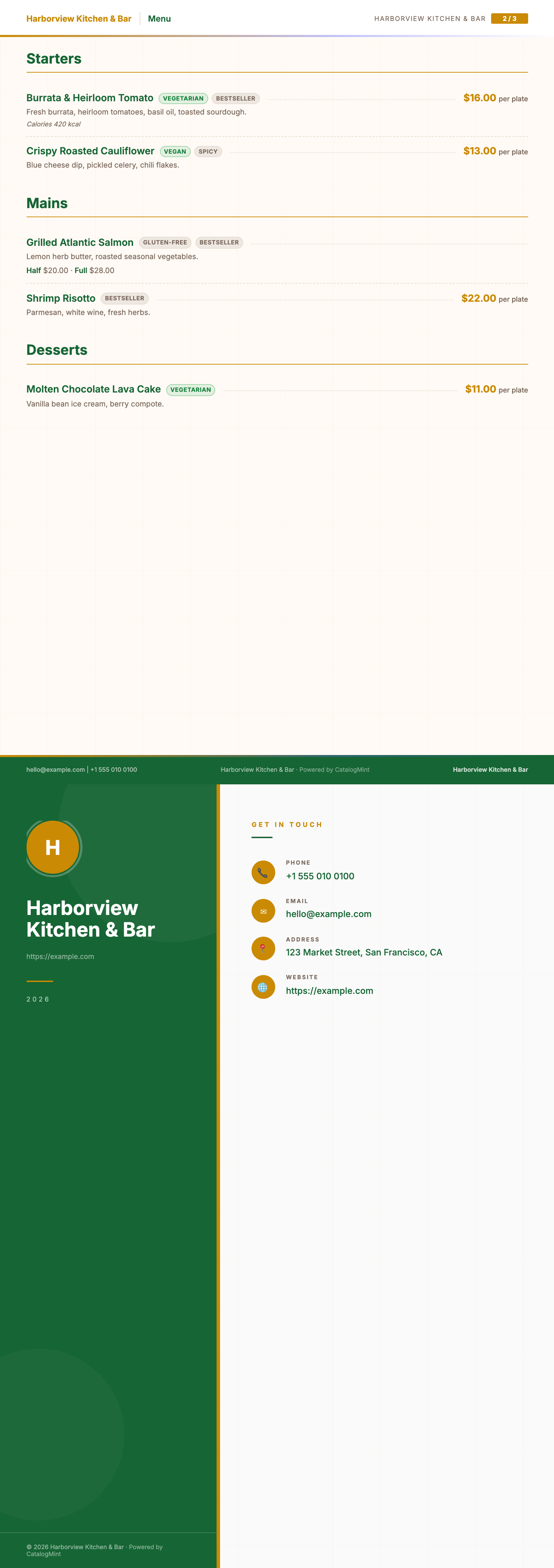
Want the print-ready version?
The Restaurant Menu PDF template lays out sections, portions, prices, and dietary tags, ready to print — included on the free plan too.
See the PDF menu template →Frequently asked questions
Is the menu maker really free?
Yes — the free plan lets you build a digital menu and share it as a link or QR code at no cost. Upgrading adds more dishes, custom branding, and analytics as your menu grows.
Can I show dietary tags like Vegetarian, Vegan, or Gluten-Free?
Yes — add a "badges" tag to any dish (e.g. "Vegetarian", "Gluten-Free", "Spicy", "Bestseller") and it shows as a chip on the menu, and as a dietary marker on the exported PDF menu. Use whatever labels fit how your menu is written.
Can customers order through the menu, or is it just for browsing?
Out of the box it's a browsable menu with an inquiry/WhatsApp button per dish — customers tap through to message you directly. It is not a checkout/ordering system.
Do I need a website to use this?
No. Your menu gets a shareable link and a downloadable QR code — no website, no app install for your customers.
Can I also export a printable PDF menu?
Yes — the Restaurant Menu PDF template lays your dishes out by course with portions, prices, and dietary tags, ready to print or send as a PDF.
Running a wider food business? See Restaurants & Cafés or Food & Beverage.